The customer's own page
What a customer sees on their card's own page — the rewards waiting for them, a receipt to scan and a link to send a friend.
Every loyalty card can link to a page that belongs to its holder. It opens in the phone's browser straight from the pass, in the card's colours and with your logo. The customer signs in to nothing and installs nothing.
Every planHow a customer gets there#
- From the back of the pass. A card with Vouchers, Refer a friend or Customers scan receipts on carries a Rewards and receipts link there. A stamp card with vouchers also lists the rewards that are ready.
- From a button on the pass. Add Walletap rewards or Walletap receipt scan under DesignButtons. They show beneath the card in Apple Wallet.
The page is written in the card's own language, like the pass that links to it.
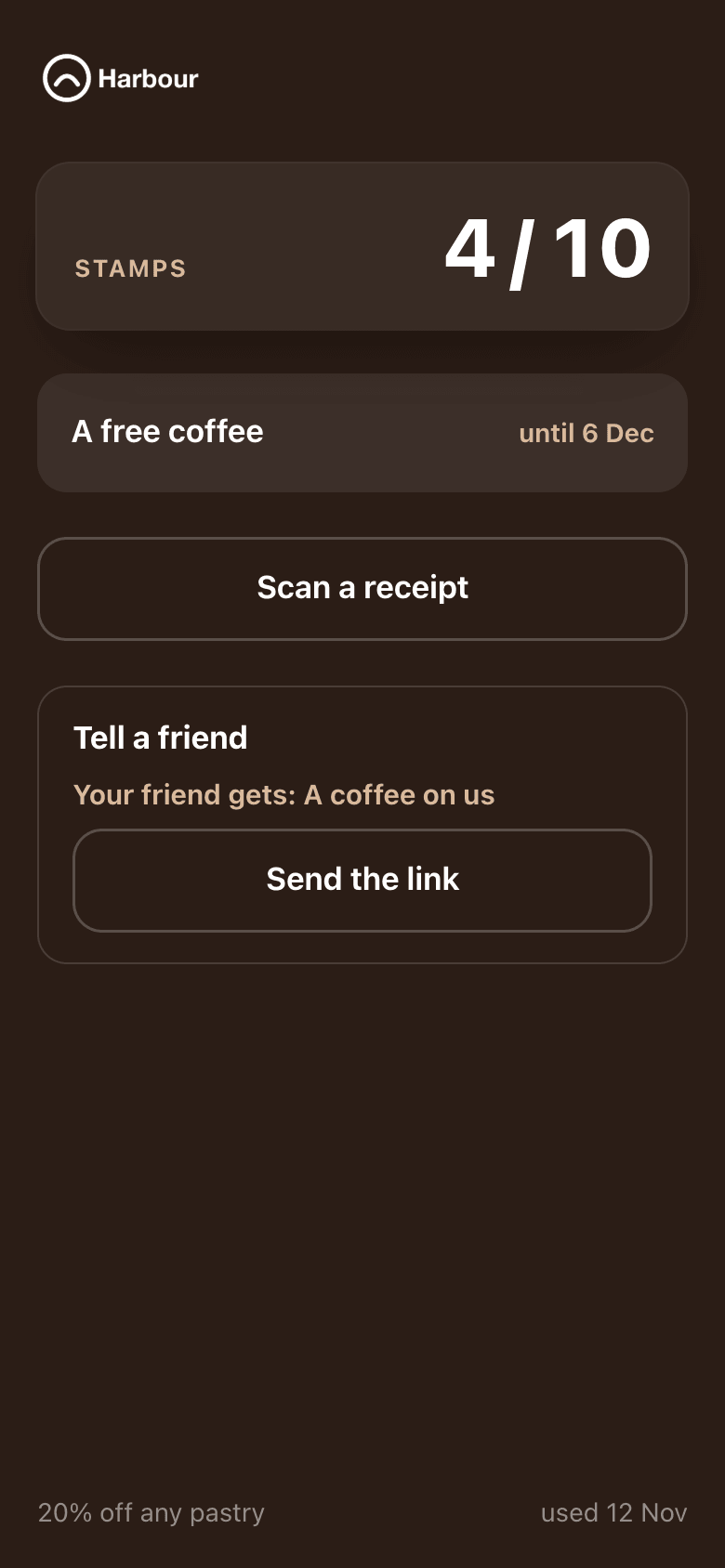
What is on the page#
| On the page | What the customer does with it |
|---|---|
| The card | Sees their stamps or their balance as it stands. |
| Rewards that are ready | Opens one to use it. Each shows the date it is valid until. |
| A receipt to scan | Photographs a receipt to collect. See earn from a receipt. |
| A link for a friend | Sends their personal sign-up link, when Refer a friend is on. The page names what the friend gets. |
| Rewards already used | The last ten, each with the day it was used or expired. |
Use a reward#
A customer opens a reward on the page and shows it at the counter. The page shows the reward's QR code and its code. Staff scan it with the app, or scan the customer's card and redeem the reward there.
With Customers can redeem themselves on, under RewardsVouchers, a slider sits under the QR code, for a counter with nothing to scan with. The customer slides it in front of your staff, and the page then shows a confirmation with a running clock, and your Till code for that reward if you set one.
A reward is used once. After that it moves to the used ones and cannot be opened again.
The running clock is what tells a confirmation from a screenshot. Ask staff to look for it before they hand a reward over.
Whose page it is#
The link is the customer's own, like the pass it comes from: whoever holds the pass can open the page. Search engines do not list it.