Delete your account
Ask for your Walletap account to be deleted, what is deleted and what is kept, and how to change your mind during the 14 days before it happens.
Deleting your account removes your login and, if you own the account, everything in it. It does not happen the moment you ask: Walletap schedules it 14 days later, so a request made by mistake, or by someone else on your computer, can be stopped.
Before you start#
- Export anything you want to keep. Members and passes can be downloaded as CSV files — see Import and export.
- If you pay for Walletap through the App Store, Google Play or AppGallery, cancel that subscription in the store. Deleting the account does not cancel it.
Ask for deletion#
- Open Account settings
Go to SettingsAccount and scroll to Danger zone.
- Start the deletion
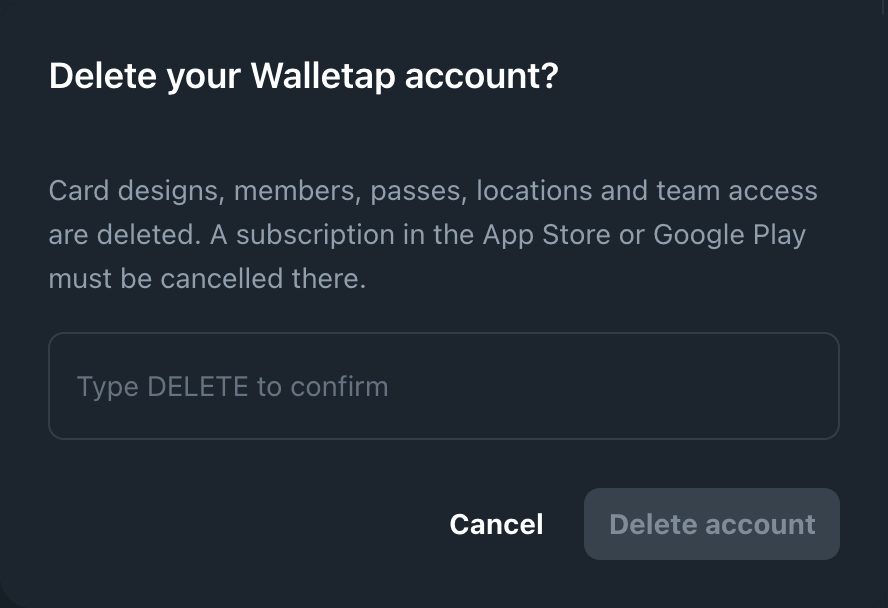
Click Delete account. The dialog Delete your Walletap account? lists what will be deleted.
- Confirm
Type
DELETEinto Type DELETE to confirm and click Delete account. The page says Deletion requested. Check your email.
- Open your account
In the Walletap app, open Settings and tap your name at the top.
- Delete the account
Tap Delete account, then Delete account again in the sheet that opens. The app records the request and signs you out.
What happens next#
- A receipt email arrives with the date the account will be deleted: 14 days after you asked.
- A reminder is sent three days before that date.
- On the date, the account is deleted and a confirmation email follows.
Every request is completed within 30 days. A few accounts — for example ones with door hardware connected — are finished by Walletap's support team, so that nothing is left half-removed; that still happens within the 30 days.
What is deleted#
If you own the account:
- card designs, members, passes, locations, companies and settings
- your team's access to the account
- unused message credit
Passes already in your customers' wallets may stay on their phones, but they are no longer updated or accepted when scanned. A subscription paid on walletap.com stops renewing and is cancelled when the account is deleted.
If you are a team member in someone else's account: only your login and your access to the accounts you belong to are deleted. Those accounts and their data stay with their owners.
What is kept#
Invoices, fiscal records and withdrawal statements are kept for as long as the law requires — for accounting records, 11 years.
Change your mind#
Until the date in the email, the account can be kept.
- Sign in
Sign in at app.walletap.com and go to SettingsAccount.
- Keep the account
Under Danger zone, the notice says Your account will be deleted on and the date. Click Keep my account. The page confirms Your account stays.
You can also reply to the receipt or reminder email. Once the notice says Your account is being deleted., the deletion has started and cannot be stopped.
Your customers' data#
The people who hold your passes do not have Walletap accounts. If one of them asks for their data to be deleted, they ask you, and you delete them as a member. See Manage members.
If something goes wrong#
- The request could not be sent. Try again. If it keeps failing, email support@walletap.com from the account's address.
- You did not ask for this. Click Keep my account at once, and tell support@walletap.com.
- The deletion has already started. It can no longer be cancelled.