Account, companies and locations
How a Walletap account is organised, from the companies that take payments to the locations that serve customers and the people who work in it.
Everything you set up in Walletap lives in one account. Inside it, companies carry the legal and payment side of your business, and locations are the places where you serve customers. Templates and passes belong to the account as a whole, so every location can use them.
Here is Harbour Hospitality, the business used in these docs:
- Your accountOwner, plan, settings
- TemplatesShared by every location
- Passes and membersOne pass per card
- Team membersOwn sign-in and role
- Harbour Hospitality LtdCompany
- Harbour Coffee — Old TownLocation
- Harbour Coffee — MarinaLocation
- Northside FitnessLocation
- API keysFor your own systems
The account#
The account is the top-level container. It holds your templates, passes and members, your companies and locations, your team, your API keys and your settings. Your plan applies to the whole account, and its allowances (locations, team members, staff devices, active customers) are counted across all of it.
Every account has one owner: the person who created it, or to whom it was handed over. Only the owner can buy or change the plan, and only the owner manages companies, API keys and custom domains.
Companies#
A company is a legal entity: a business with its own registered name, tax number, VAT status and address. You manage them in SettingsCompanies.
Your first company is created when you sign up, from the business name you enter. If you sign up in the Walletap app and give a tax number, Walletap looks it up in the EU VAT register and fills in the registered name and address for you.
Integrations that act for a legal entity are set up on the company, and every location assigned to it uses them. Payments are the main example: membership payments taken for a location go to the payment account of that location's company, so they land in that company's bank. See Accept payments.
Most businesses need only one company. Add another when a second legal entity, with its own bank account, runs some of your locations.
Locations#
A location is a physical place where you serve customers: a café, a shop, a gym. You manage them in SettingsLocations, where each one has a name, an address and, optionally, the company it belongs to.
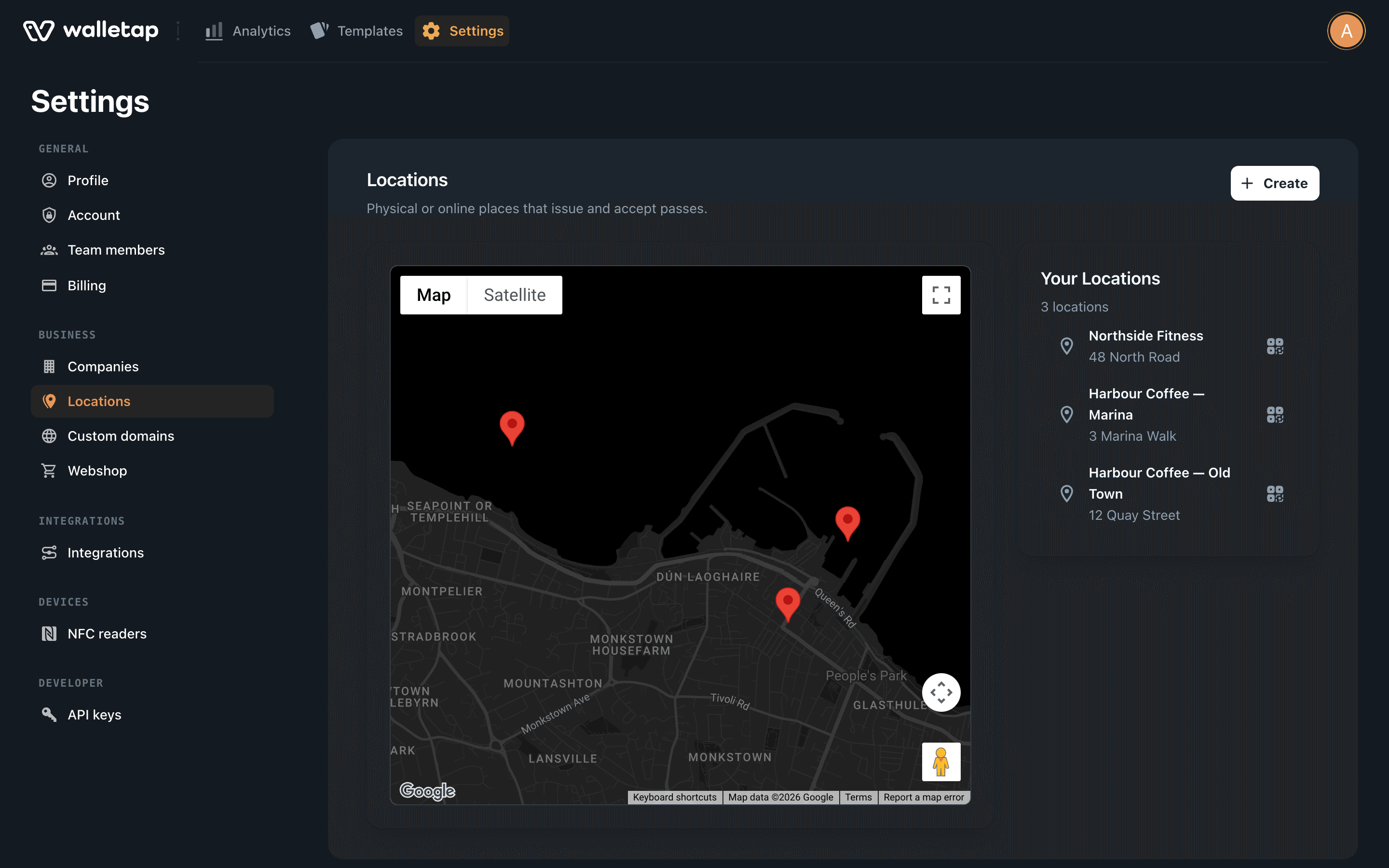
Locations are what several parts of Walletap are organised around:
- Your plan covers a number of locations, and the monthly active-customer allowance is set per location.
- Staff devices are each tied to one location, so what a phone scans is recorded at that location. See Devices.
- Sign-up links and QR codes can be made for one location. A card that joins through one records that location as its home location, which per-location reports use.
- Payments for a location go through its company, as described above.
A template's lock-screen locations, which make a pass appear on the lock screen near a place, are set on the template itself. See Locations and relevance.
Templates and passes belong to the account#
A template is not owned by a company or a location. Harbour Coffee's Coffee Card works the same at Old Town and at Marina, and staff at either can issue, scan and stamp it.
When a group wants a different card at one site, such as Northside Fitness's membership, that is a separate template, not a setting on the location.
The people in an account#
| Who | What they do | Where they are managed |
|---|---|---|
| Owner | Everything, including plan, billing, companies and API keys | The account itself |
| Team members | Sign in with their own account and work in yours, within their role and the locations and templates you give them | SettingsTeam members |
| Staff devices | The phones, tablets and front-desk computers signed in to scan for you, each tied to a location | SettingsBusinessDevices in the mobile app |
| Members | Your customers. They hold passes and never sign in to Walletap | Each template's Members tab |
Alex Morgan owns the Harbour Hospitality account. Jordan Lee is a team member who manages all three locations; Sam Patel is staff at Marina, and the phone Sam scans with is a staff device tied to Marina.