
Walletap AI: ask about your members, approve changes with one tap
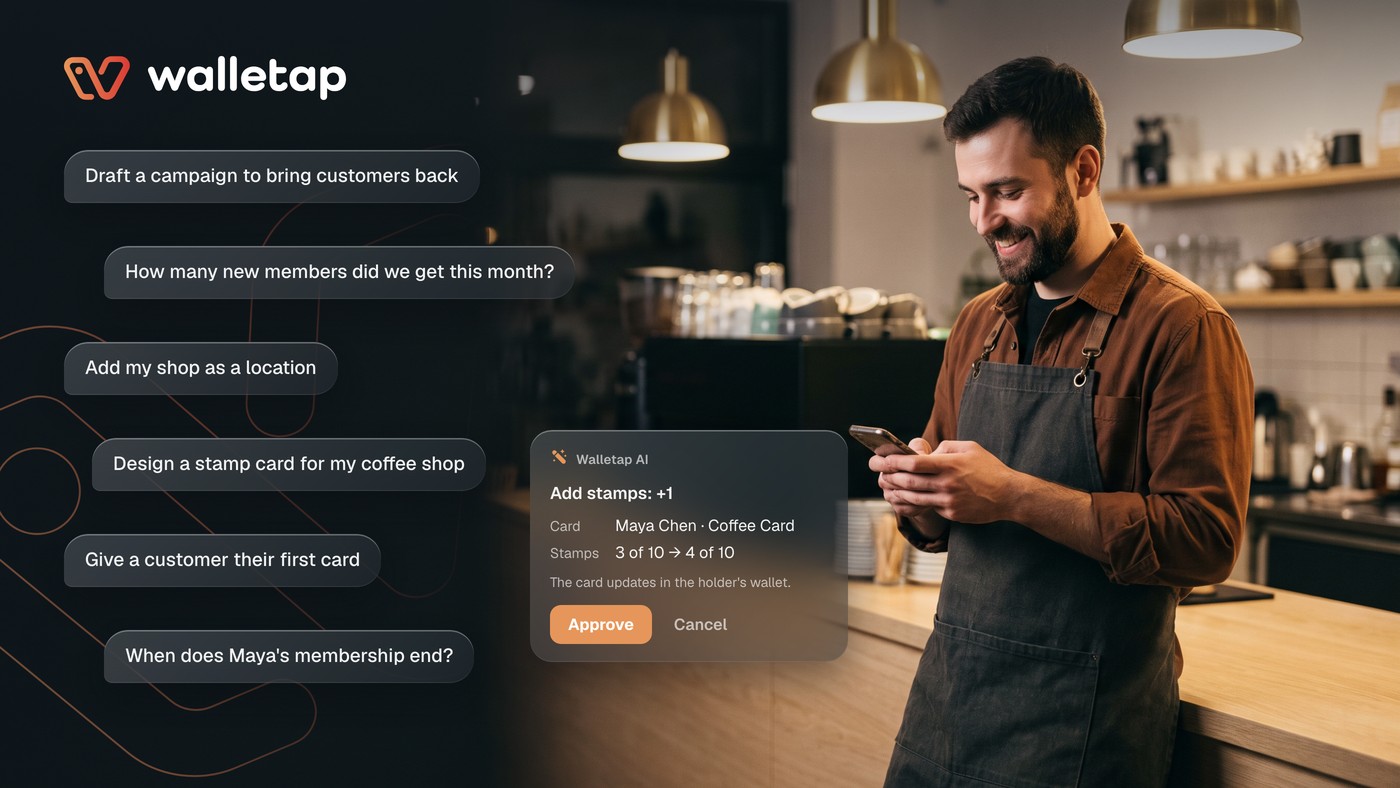
Walletap now has its own AI assistant. Walletap AI answers questions about your account in plain words and prepares changes for you: a stamp for a customer, a new card, a campaign draft or a whole card design. Nothing changes until you approve it. Walletap AI is built into the Walletap dashboard and apps, and every plan includes it.
Where to find Walletap AI
- Dashboard: click Walletap AI at the top right, or press ⌘J on a Mac or Ctrl+J on Windows. On a wide screen the panel stays open beside the page while you move around the dashboard.
- Phone and tablet: tap the sparkle icon at the top right of the Walletap app.
- Computer app: choose Walletap AI in the sidebar.
Walletap AI is on the dashboard now. In the phone, tablet and computer apps, it comes with the app update that is rolling out now.
Ask about your account
Write a question the way you would ask a colleague, in any language, and Walletap AI answers in the language you wrote in. It looks through your cards, members, locations, campaigns and analytics:
- How many new members did we get this month?
- Which card do customers use the most?
- How many customers have my card in their wallet?
- When does Maya Chen's membership end?
It also knows who comes most often. It ranks members by the days they visited, at one location or at all of them, and shows one member's visits: how often they come, where, and when they last came.
Approve a change
Ask for what you want done, for example Add a stamp to Maya Chen's Coffee Card. Walletap AI does not do it straight away. It prepares the change and shows it in the conversation: the card it applies to, the value before and after (3 of 10 → 4 of 10), and anything else that follows, such as the card updating in the customer's wallet.
Approve carries out exactly what is shown. Cancel drops it, and nothing changes. A prepared change waits 30 minutes for your decision; after that, you ask again.
| You ask for… | What happens when you approve |
|---|---|
| A new card for a customer | It is issued on the template you name. It is emailed or texted only if you ask for that. |
| Stamps or points | Stamps are added, removed or set, or a full card is redeemed. Points are added, taken away or set. |
| A change to a card | Its details or its last valid day change, or it is voided. |
| A message to one customer | A notification goes to that customer's card. Only the account owner can ask for this. |
| A campaign | It is saved as a draft and sends nothing until you activate it. |
| A change to a template | Its name, colours or labels change on every card issued on it. You see how many cards that is before you approve. |
| A location | A location is added, or an existing one is edited. |
Design a card from your website or Instagram
Ask Design a loyalty card for my business. Walletap AI can design it from your website, your Instagram profile or your Facebook Page, using your own logo, colours and photos. It asks a few questions, such as stamps or points, and checks with you before settings that cannot be changed later.
The design appears on a card preview in a minute or two. Nothing is created until you press Create template. Ask for changes (make it darker) and a new design replaces the preview.
Speak instead of typing
In the phone, tablet and computer apps, when your device offers it, tap the microphone next to the message box and speak. Your words appear in the box; check them, then send.
Your permissions and your data
- It works with your permissions. Walletap AI sees and changes only what your role on the account allows. If you ask for something your role doesn't include, it tells you.
- Your conversations are private. Only you see them, and they are deleted 90 days after they start.
- Answers can be reported. In the apps, tap Report on a wrong answer. Walletap keeps that answer and your note so it can review them.
- Your data is not used to train AI. Walletap AI runs on Anthropic's Claude API. What you write and the account data it reads to answer are sent to Anthropic, which does not use them to train its models. On iPhone, iPad and Mac, the app asks for your permission before your first message.
Included in every plan
Every Walletap plan includes a monthly allowance of Walletap AI, shared by everyone on the account, and a higher plan includes more. On the free plan you can try it. The panel shows how much of the allowance is left and when it resets. One person can use up to half of the month's allowance in a day. When the allowance runs out, Walletap AI pauses until the first of the next month.
Walletap AI or the Walletap connector for Claude?
Both let you run Walletap by asking. Walletap AI is built into Walletap: there is nothing to connect, and every change waits for your approval with the value before and after. The Walletap connector for Claude brings Walletap into Claude, for people who already work there. The same Walletap server also works in ChatGPT and other AI assistants that support MCP.
Frequently asked questions
What is Walletap AI?
The AI assistant built into the Walletap dashboard and apps. It answers questions about your account, such as new members, visits and active cards, and prepares changes such as stamps, new cards, campaign drafts and card designs, which you approve before anything happens.
Can Walletap AI change anything without my approval?
No. Every change waits in the conversation with Approve and Cancel, showing the value before and after. Only your approval carries it out, and a change you don’t approve within 30 minutes expires.
Does Walletap AI cost extra?
No. Every plan includes a monthly allowance of Walletap AI, shared by everyone on the account, and a higher plan includes more. On the free plan you can try it.
Which languages does Walletap AI understand?
Write in any language and Walletap AI answers in the language you wrote in.
What happens to my data?
Walletap AI runs on Anthropic’s Claude API, and Anthropic does not use your data to train its models. Your conversations are private to you and are deleted 90 days after they start.
Do my customers see Walletap AI?
No. Only you and your team use it. Your customers keep their card in Apple Wallet or Google Wallet, and a change you approve to their card reaches the card they already have.
Step-by-step instructions are in the Walletap AI documentation. If you're new to digital cards, start with What is a wallet pass? or take a look at Walletap Loyalty.