
The Walletap connector for Claude: set up a loyalty program by asking
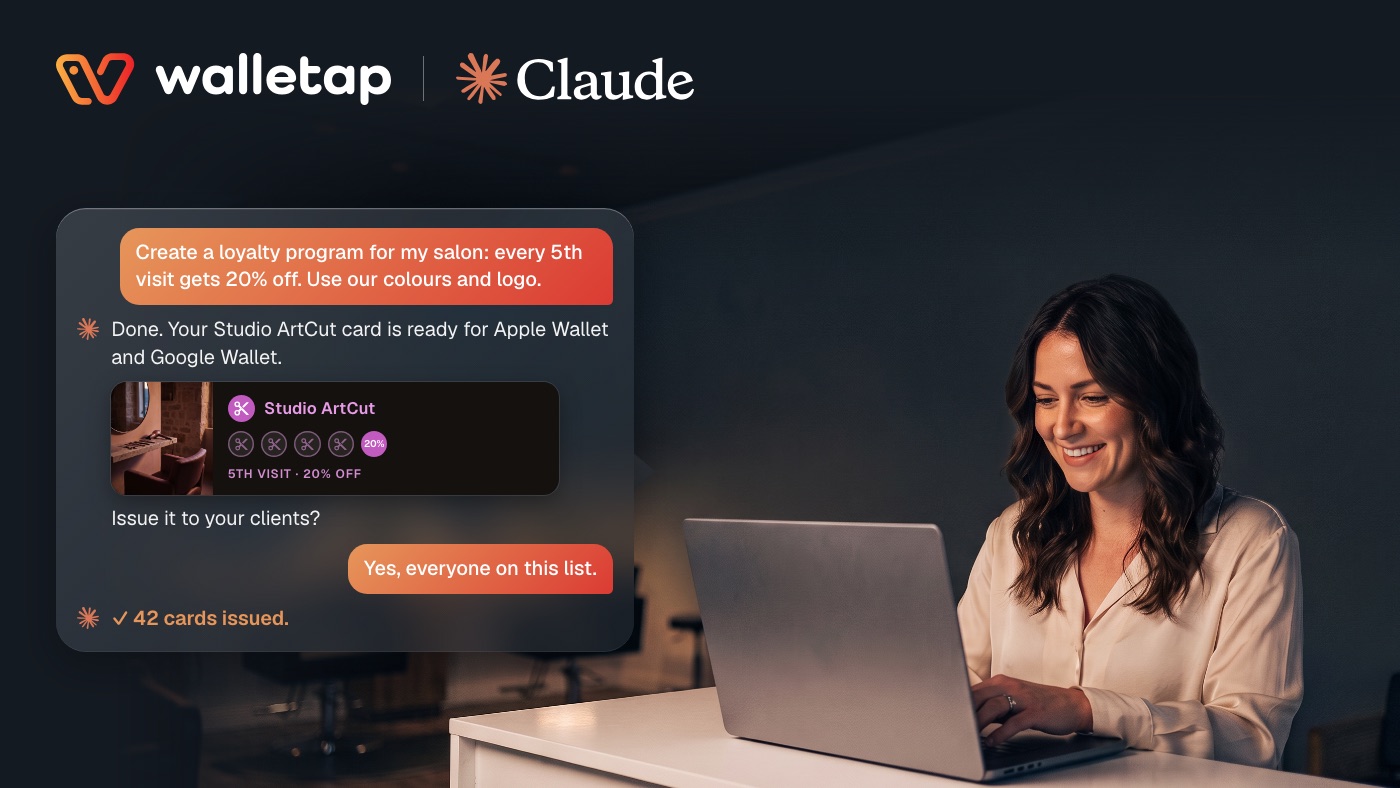
Walletap is in Claude's connector directory. Once you connect Walletap to Claude, you set up a stamp-card loyalty program by asking. You say how many visits earn the reward and how the card should look, and Claude designs the Apple Wallet and Google Wallet card with the stamps and the reward on it, issues the cards to your customers and later updates them on their phones. Membership cards and tickets work the same way. Walletap also works with every other AI assistant that supports MCP.
What is a Claude connector?
Claude is the AI assistant made by Anthropic. A connector links Claude to a tool you already use, so Claude can read your data in that tool and change it when you ask. The Walletap connector links Claude to your Walletap account.
Walletap works with every AI assistant that supports MCP
Walletap runs its own MCP server at https://mcp.walletap.com. MCP (Model Context Protocol) is an
open standard for connecting AI assistants to other systems, so Walletap works with any AI assistant
that supports it: Claude, ChatGPT, Cursor, Claude Code and others. The server offers the same tools
to every assistant, from designing a card to sending a notification.
What the Claude connector makes easier
In Claude, Walletap is also listed in the connector directory, which makes connecting easiest there:
- You find Walletap among the connectors. You don't need to know what MCP is or where the server lives: Walletap is in the directory, next to Claude's other connectors.
- You see what the connector can do before connecting. The directory shows its description and the list of all its tools.
- You connect without typing an address. Click Connect, sign in to Walletap and approve access; you don't type the server address by hand, as ChatGPT currently requires.
A Walletap connector for ChatGPT is in the works. Until then, you add Walletap to ChatGPT by hand, with developer mode on.
What Claude can do in Walletap
- Set up a loyalty program. A stamp card: how many stamps earn the reward, what the reward is and how the card looks. You set the colours, logo, stamp icon, and a QR code or NFC in the conversation.
- Design other cards. A membership card, a ticket, a gift card or an offer.
- Issue cards. One or several at once, with a name, other fields and starting stamps. If a card has an email address or phone number, Walletap sends the customer a link to save it to their wallet, following the delivery settings on your account.
- Update cards. Add a stamp, change a balance or a field, or void a card. The change reaches the card the customer already has on their phone.
- Send a notification. To one customer, or to everyone who holds a particular card.
- Find and export. Find a card by email address or phone number, and export every card on a template as a CSV file.
- Translate a card. Translate the text on a card into other languages.
- Manage locations and your team. Add, change or remove a location or a team member.
Claude writes the reward on the card. The reward settings staff see when they stamp, and automated messages such as a welcome or a birthday greeting, are set up in Walletap, not through Claude.
What it looks like in practice
A salon owner writes to Claude:
Create a loyalty program for my salon, Studio ArtCut: every 5th visit gets 20% off. Design a dark card with lilac stamps; our logo is at https://artcut.example/logo.png. Then issue it to the clients on this list.
She pastes the list of her clients' email addresses or phone numbers into the same conversation. Claude then:
- fetches the logo from that address,
- creates a dark card with five lilac stamps, the reward "20% off your 5th visit" and your logo,
- tells you what it made and asks whether to issue the cards,
- issues the cards to the clients on the list, and Walletap sends each of them a link to add it to their wallet.
The next time Lucy, one of those clients, comes in, writing "Add a stamp to Lucy's card" is enough, and the card updates on her phone.
How to connect Walletap to Claude
- In Claude, open Walletap in the connector directory and click Connect. This works in Claude on the web and in the desktop app.
- Sign in to Walletap. If you don't have an account, create one in the same step.
- Review what Claude may do and click Authorize.
There is nothing to install and no key to paste. To start, ask Claude: "Show me my Walletap templates."
In ChatGPT (with developer mode on), Cursor and Claude Code, you add Walletap as an MCP server at
https://mcp.walletap.com. Instructions for each are in the
documentation.
What Claude may and may not do
- You approve the access. When you connect, you see what Claude is asking for: to view your data, change it, and send messages to your customers. Only once you approve can Claude work in Walletap.
- A question changes nothing. Tools that only read data are marked as such, so asking a question never changes anything.
- Changes are marked. Tools that change something are marked as such, so Claude usually asks you to confirm before using them.
- Messaging customers is a separate permission. A message goes straight to the people who hold your card, so it is its own line on the list you approve.
- You can disconnect at any time. Remove Walletap in Claude's connector settings.
Frequently asked questions
What is the Walletap connector for Claude?
The link between Claude and your Walletap account. Once it is on, Claude sets up loyalty programs, designs, issues and updates Apple Wallet and Google Wallet cards, and sends notifications to your customers when you ask. Walletap is in Claude’s connector directory.
Can Claude set up a loyalty program?
Yes, a stamp program. In one message you say how many stamps earn the reward, what the reward is, how the card looks and who gets the cards. The reward settings staff see when they stamp, and automated messages such as a welcome or a birthday greeting, are set up in Walletap.
Do I need a Walletap account?
Yes. Claude works in the Walletap account you sign in with. If you don’t have one, you create it in the same step, while connecting.
Can Claude change anything without my knowing?
Tools that only read data change nothing. Tools that change something are marked as such and Claude usually asks you to confirm first, and sending messages to your customers is a separate permission on the list you approve when connecting.
Does Walletap also work with ChatGPT?
Yes. The same Walletap MCP server, at https://mcp.walletap.com, works in ChatGPT, Cursor, Claude Code and other assistants that support MCP. In ChatGPT you add it by hand for now, with developer mode on; a Walletap connector for ChatGPT is in the works.
Do my customers need Claude or an app?
No. Only you use Claude. Your customers save the card to Apple Wallet or Google Wallet from a link, with no app, and updates and notifications reach the card they already have.
If you’re just starting to think about digital cards, begin with What is a wallet pass? or take a look at Walletap Loyalty, the loyalty program for cafés, salons, restaurants and local businesses.