
New: customers photograph their receipt and collect stamps or points on their loyalty card
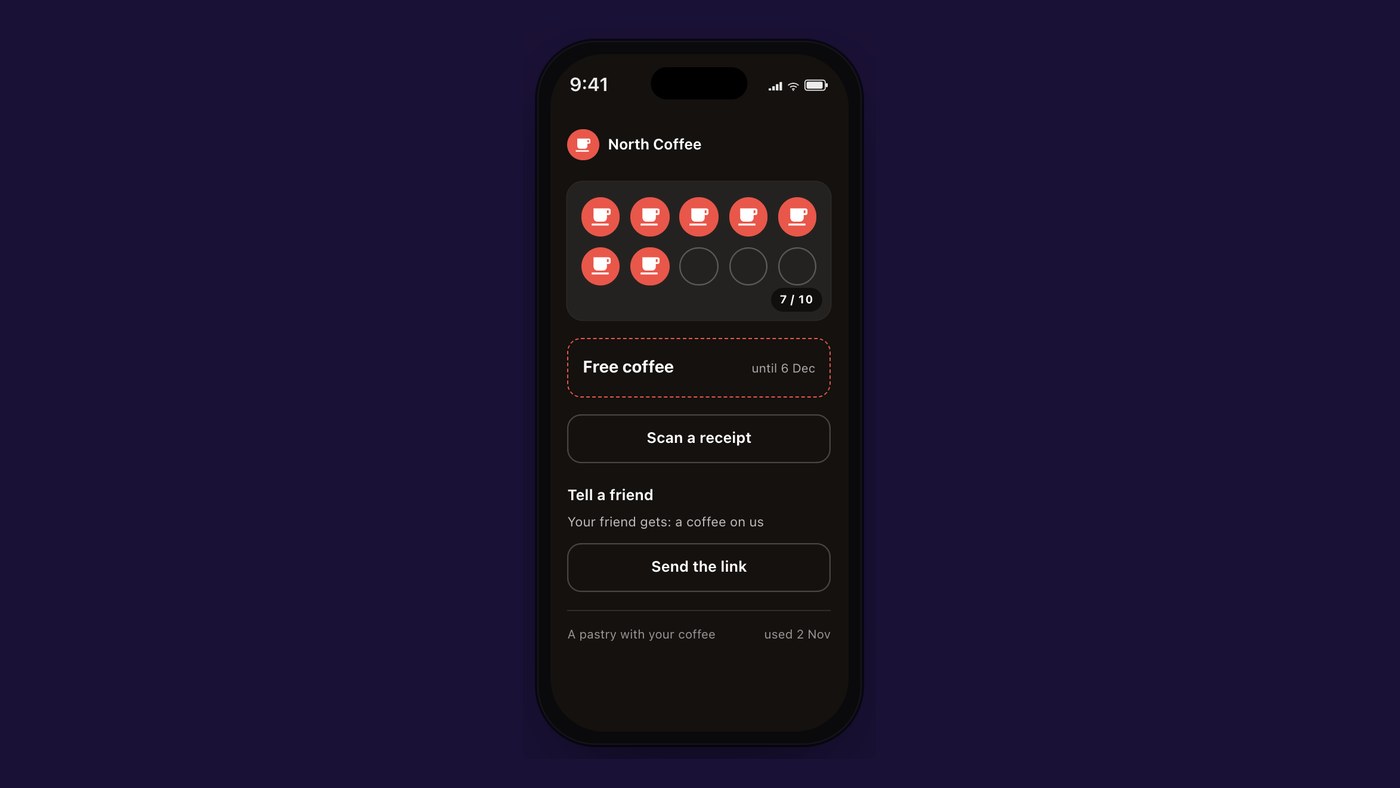
With a Walletap loyalty card, customers can now collect a stamp or points on their own: from the card in Apple Wallet or Google Wallet they open their page and photograph the fiscal receipt, and Walletap reads the amount from the QR code on the receipt and checks that your company issued it. Staff type nothing in, and the till stays as it is. The receipt scan works on every plan, the free one included. For now it reads receipts issued in Croatia.
Until now, a member of staff added stamps or points: they scanned the card and added the stamp or typed in the amount. That still works. The receipt scan is a second way, for the moments when the counter is too busy or the customer pays and leaves.
How it works for the customer
- On the back of the card in their wallet, the customer opens the "Rewards and receipts" link. Their own page opens, in your colours and with your logo, with no sign-in and no app.
- They tap the button to scan a receipt and photograph the whole receipt, from the top to its QR code.
- A few seconds later the page shows what the receipt earned, and the card in their wallet updates.
If the receipt is too small for one stamp, the page tells the customer how much more they need to spend. If the photo cannot be read, it asks them to take it again.
What Walletap checks
- The receipt is yours. The tax number printed on the receipt has to be the tax number of one of your companies. A receipt from another business earns nothing.
- The amount. It is read from the QR code on the receipt, so it is the amount the receipt was issued for.
- The receipt is fresh. By default it counts for 24 hours after it was issued.
- It has not been used. Each receipt earns once, on one card. A second scan of the same receipt, on that card or any other, earns nothing.
The photo is read and then discarded. Walletap only reads the QR code and the printed tax number, and never changes the fiscal receipt.
What a receipt earns
Your card's own rule decides, the same one staff use when they add a stamp or type in an amount:
- A stamp card: one stamp a visit, or a stamp for every so many euros on the receipt.
- A points card: points by the receipt's amount.
A minimum purchase, if you set one, applies to receipts too. On top of that, a card starts with these limits, which you can change:
| Limit | By default | What it limits |
|---|---|---|
| Receipts a day | 1 | How many receipts one card can earn from in a day |
| Scan within | 24 hours | How long after it was issued a receipt can be scanned |
| Most stamps a receipt | 10 | What one receipt can earn on a stamp card |
| Most points a receipt | 100 | What one receipt can earn on a points card |
How to switch it on
- Put your company's tax number on file in your company settings in Walletap. Each receipt's tax number is checked against it.
- Switch on "Customers scan receipts" in the card's earning settings, in the app or on the web, and save.
The "Rewards and receipts" link then appears on the back of every card. Cards customers already have get it with their next update. The full steps are in the docs: Earn from a receipt.
Who it helps most
- Busy cafés: the waiter scans the card when there is time, and a customer in a hurry scans the receipt instead.
- Restaurants with points for spending: the amount is read from the receipt, not typed in by hand.
- Takeaway orders: the customer scans the receipt at home, the same day.
- Salons and shops: the client gets the stamp even when they pay at the till while staff are already with the next client.
How to launch a loyalty card step by step is in the guides for cafés, restaurants and salons. Everything about Walletap Loyalty is on the Loyalty page.
Frequently asked questions
Can a customer collect a loyalty stamp without the waiter?
Yes, if you switched on the receipt scan. From the card in Apple Wallet or Google Wallet the customer opens their page and photographs the fiscal receipt; Walletap reads the amount from the QR code, checks that your company issued the receipt, and adds the stamp or points within a few seconds.
Does the receipt scan need a new till?
No. Walletap reads the QR code that is already on every fiscal receipt and the tax number printed on it. The till stays as it is and is not connected to Walletap.
Can a customer use someone else’s receipt, or an old one?
Each receipt earns once, on one card, so no one can use it again. A receipt from another business does not count because its tax number is not yours, and by default a receipt counts for 24 hours after it was issued.
What does the receipt scan cost?
Nothing extra. It works on every Walletap plan, the free one included.
Does it work with receipts from other countries?
Not yet. Walletap reads the QR code of Croatian fiscal receipts, so the scan works for businesses in Croatia.